-
PRODUCTS & SERVICESOptimized cooling solutions for modern data centersProducts & ServicesOptimized cooling solutions for modern data centers
-
CAPABILITIESAdvancing liquid cooling technologiesCapabilitiesAdvancing liquid cooling technologies
-
TechnologiesLiquid Cooling InnovationTechnologiesLiquid Cooling Innovation
-
RESOURCESLatest News & InformationResourcesLatest News & Information
-
ABOUTOur history, leadership and ownershipAboutOur history, leadership and ownership
-
CONTACTFacility locations and global operational footprint

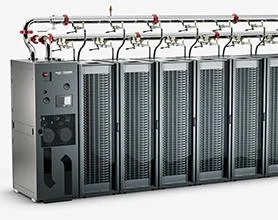





2026 How to Choose Rackmount PCs for Global Buyers?
Choosing the right Rackmount Pcs in 2026 requires more than comparing processor names and purchase prices. Global buyers must examine performance, reliability, serviceability, and long-term operating conditions. A 1U server may save cabinet space, yet its smaller fans can produce more noise and heat. A 2U system may offer better airflow, expansion capacity, and easier maintenance.
Real-world installation details often decide success. Measure cabinet depth before ordering. Check rail compatibility, cable clearance, and front-to-back airflow. Confirm voltage, power-plug requirements, and regional certification documentation. Remote management features, such as IPMI, can reduce unnecessary site visits. These details matter when equipment operates in a warehouse, factory, retail branch, or remote data room.
Specifications alone are not enough. A reliable supplier should explain component origins, warranty limits, firmware support, replacement procedures, and expected product life. Buyers should also review shipping protection and technical support response times. A low price may become expensive after repeated downtime or difficult repairs. Yet even professional recommendations have limits. Workloads change, and predicted growth is often wrong. A careful decision leaves room for upgrades and honest reassessment.
The best choice depends on workload, environment, budget, and local requirements. Use independent testing where possible, request complete configuration sheets, and compare total ownership costs. Practical evidence is stronger than attractive marketing language. Rackmount Pcs should support business continuity, not simply fill a rack.
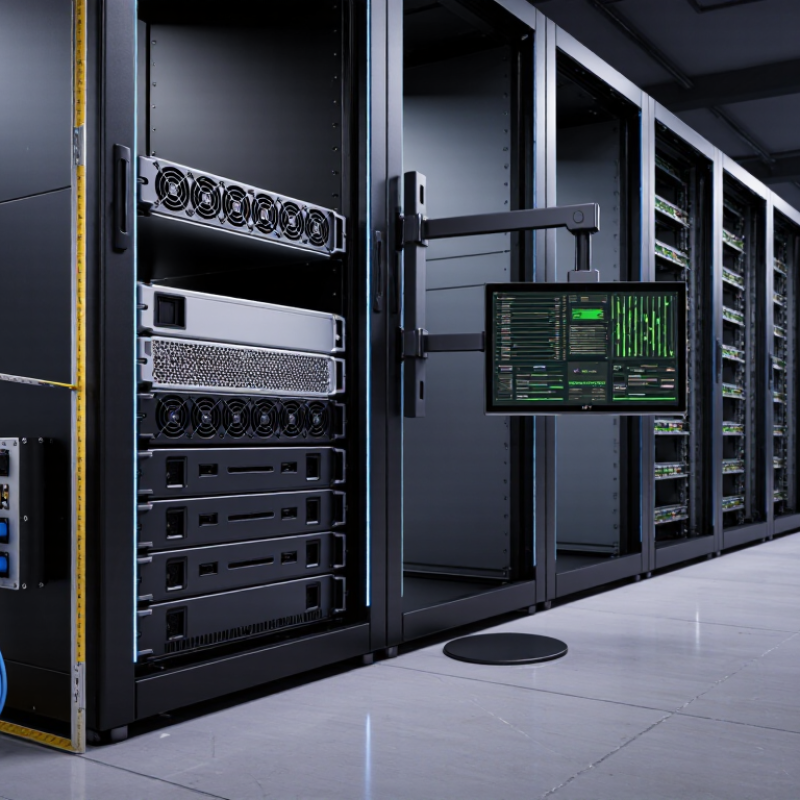
Table of Contents [Hide]
Define Rackmount PC Requirements for Global Deployment
Global rackmount PC selection starts with requirements, not processor speed. Define workload, rack depth, mounting method, operating temperature, humidity, altitude, and service access before comparing specifications. A 1U system may save cabinet space but offer less cooling capacity. A 4U chassis may simplify expansion but increase shipping weight.
For global deployment, confirm input voltage ranges, regional power connectors, EMC compliance, and safety certifications. Check whether the system supports remote monitoring, secure boot, TPM protection, and replaceable storage. Uptime Institute’s 2024 Global Data Center Survey identifies power disruption as the leading cause of serious outages. This supports choosing dual power inputs, tested surge protection, and documented recovery procedures. Small details matter. Also review spare-part availability in each region. A replacement fan that takes three weeks can stop a production line. That risk is easy to underestimate.
Tips: Build a deployment matrix for every country. Record voltage, rack depth, ambient temperature, network standards, certification needs, and local service options. Test the worst case. Run thermal tests with maximum storage, memory, and network load. Leave airflow clearance around the chassis. Gartner’s research on edge computing continues to highlight distributed processing near users and equipment, making remote administration increasingly important. However, remote access is not a substitute for physical planning. I would also challenge the habit of choosing the highest specification. Extra performance can increase heat, energy use, and maintenance costs without improving the actual workload.
2026 How to Choose Rackmount PCs for Global Buyers?
Define Rackmount PC Requirements for Global Deployment
Define Rackmount PC Requirements for Global Deployment
| Requirement Dimension | Typical Requirement | Recommended Baseline for Global Deployment | Key Selection Data | Why It Matters |
|---|---|---|---|---|
| Rack Height | 1U, 2U, or 4U | Choose 1U for density, 2U for balanced expansion, and 4U for high-power cards or multiple storage devices. | 1U = 44.45 mm; 2U = 88.90 mm; 4U = 177.80 mm | Rack height determines how many systems can be installed in a standard 19-inch cabinet and how much internal space is available for cooling, storage, and expansion. |
| Rack Width Compatibility | Standard 19-inch equipment rack | Use a 19-inch rackmount chassis with adjustable or compatible mounting rails. | Standard rack width: 19 inches / 482.6 mm | Confirm rail spacing, mounting-hole pattern, and cabinet clearance before deployment because rack depths and rail systems vary by data center. |
| Chassis Depth | Approximately 400–850 mm | Select a chassis depth that leaves at least 100 mm of rear cable and airflow clearance inside the cabinet. | Short-depth systems: about 400–550 mm; enterprise-depth systems: about 600–850 mm | Depth affects compatibility with telecom racks, shallow cabinets, rear-door heat exchangers, cable management, and service access. |
| Processor Performance | Entry-level to multi-core server-class processing | Match core count and clock performance to the workload rather than selecting the highest available specification. | Consider core count, sustained thermal design power, virtualization support, ECC memory support, and lifecycle availability. | Industrial control, edge analytics, virtualization, video processing, and database workloads have different processing requirements and power profiles. |
| Memory Capacity | 8 GB to several hundred GB | Use 16–32 GB for general edge services, 32–128 GB for virtualization or analytics, and ECC memory for data-sensitive applications. | Evaluate memory type, maximum capacity, channel configuration, and error-correction capability. | Insufficient memory can reduce application performance, while ECC memory helps detect and correct certain single-bit memory errors. |
| Storage Configuration | SSD, NVMe, or mixed SSD/HDD storage | Use enterprise-grade SSD or NVMe storage for frequent writes, system databases, and real-time workloads; use RAID where availability is required. | Common options include 2.5-inch drive bays, M.2 or U.2 NVMe, hot-swap bays, and RAID 1 or RAID 10. | Storage selection affects boot time, transaction performance, endurance, recovery time, and protection against individual drive failure. |
| Expansion Capability | PCI Express expansion and dedicated accelerators | Reserve at least one expansion slot for future networking, capture, storage, GPU, or industrial interface requirements. | Check PCIe generation, lane allocation, slot length, slot height, auxiliary power, and card cooling requirements. | Physical slot availability does not guarantee compatibility; power delivery, airflow, and chassis clearance must also be verified. |
| Network Connectivity | 1 GbE, 2.5 GbE, 10 GbE, or higher | Provide at least two independent network interfaces for systems requiring management, redundancy, or separated production traffic. | Assess port speed, copper or fiber media, PXE boot, VLAN support, time synchronization, and redundant network paths. | Global deployments often use separate interfaces for system management, operational technology, storage traffic, and secure production networks. |
| Power Input | AC input varies by country and facility | Choose an auto-ranging power supply supporting approximately 100–240 VAC at 50/60 Hz. | Verify input voltage range, maximum wattage, connector type, power factor correction, and available circuit capacity. | Wide-range input reduces regional configuration changes, but the local plug, upstream protection, power distribution unit, and circuit rating still require confirmation. |
| Power Redundancy | Single or dual hot-swappable power supplies | Use dual hot-swappable power supplies for critical systems and connect each supply to an independent power source when available. | Check total system load, redundant-mode rating, power-supply efficiency, and power-cord compatibility. | Redundant power can reduce downtime caused by a failed power supply or a single upstream power path, but it does not replace a properly designed UPS system. |
| Operating Temperature | Usually 0–35°C for standard data-center equipment | For edge or industrial sites, select a wider rated range such as approximately -10–50°C when the manufacturer specifies it. | Review operating temperature, storage temperature, humidity range, altitude derating, and thermal performance under full load. | Remote cabinets, factory floors, transport environments, and outdoor enclosures may experience temperature and airflow conditions unlike controlled data centers. |
| Humidity and Environmental Conditions | Non-condensing humidity within the specified operating range | Confirm non-condensing operation and use a sealed or filtered enclosure where dust, oil mist, salt, or moisture is present. | Check relative humidity limits, condensation risk, ingress protection of the enclosure, and required filtration or pressurization. | Humidity, dust, and corrosive contaminants can shorten fan, connector, storage, and power-supply service life. |
| Acoustic Output | Fan noise varies with load and thermal design | Specify an acoustic target for offices, laboratories, retail sites, and other noise-sensitive locations. | Compare sound-pressure or sound-power ratings, fan-control modes, and expected noise at idle and full load. | High-speed fans may be acceptable in a dedicated data center but unsuitable for a workstation area, control room, or customer-facing environment. |
| Remote Management | Basic software monitoring to independent hardware management | Use an out-of-band management controller with remote console, power control, event logging, and firmware management for unattended sites. | Check dedicated management Ethernet, role-based access, alert protocols, audit logs, secure update support, and network isolation options. | Remote management reduces the need for on-site service visits and improves visibility into hardware health across multiple countries and time zones. |
| Operating System and Software | Windows, Linux, hypervisor, or specialized real-time software | Validate the complete software stack, including drivers, virtualization, security tools, backup agents, and long-term update support. | Confirm CPU architecture, driver availability, boot mode, TPM requirements, kernel support, and application certification. | Hardware compatibility alone does not guarantee stable operation after operating-system updates or deployment of specialized applications. |
| Security Features | Firmware, boot, storage, and physical security | Require secure boot, firmware access controls, TPM-based security where applicable, disk encryption support, and restricted physical access. | Evaluate TPM availability, signed firmware, BIOS or UEFI passwords, secure erase, intrusion detection, and centralized policy management. | Security requirements must cover the complete chain from the rack cabinet and firmware to operating-system access and stored data. |
| Regulatory and Market Access | Requirements depend on destination country and application | Request applicable safety, electromagnetic compatibility, environmental, and radio approvals before shipment. | Common evaluation areas include electrical safety, EMC emissions and immunity, restricted substances, energy efficiency, and local import documentation. | Approval requirements differ by market, voltage system, wireless functionality, and industry. Confirm current rules with the importer or compliance authority. |
| Spare Parts and Service | Local or regional replacement capability | Define a spare-parts list, response time, warranty scope, and service process before placing a multi-country order. | Plan for fans, power supplies, storage drives, memory modules, rail kits, cables, and replacement procedures. | Standardized configurations and regional spare stock can reduce downtime, shipping delays, customs issues, and technician training costs. |
| Deployment Documentation | Installation and maintenance records | Require multilingual or English technical documentation with rack diagrams, wiring details, BIOS settings, recovery steps, and asset information. | Include serial tracking, firmware versions, network settings, power budgets, rail instructions, and preventive-maintenance procedures. | Consistent documentation helps local teams deploy and maintain systems safely across different regions and operating environments. |
| Lifecycle Planning | Short-term availability or long-term product support | Select a platform with a defined availability period, change-control process, and replacement strategy for the expected deployment life. | Review processor lifecycle, component change notification, minimum order quantities, repair policy, firmware support, and end-of-life notice period. | Long-life deployments require predictable hardware revisions and support continuity to avoid costly requalification in every destination market. |