-
PRODUCTS & SERVICESOptimized cooling solutions for modern data centersProducts & ServicesOptimized cooling solutions for modern data centers
-
CAPABILITIESAdvancing liquid cooling technologiesCapabilitiesAdvancing liquid cooling technologies
-
TechnologiesLiquid Cooling InnovationTechnologiesLiquid Cooling Innovation
-
RESOURCESLatest News & InformationResourcesLatest News & Information
-
ABOUTOur history, leadership and ownershipAboutOur history, leadership and ownership
-
CONTACTFacility locations and global operational footprint






What Is a Digital Spirit Level and How Does It Work?
A Digital Spirit Level is a modern measuring tool that helps users check whether a surface is perfectly horizontal or vertical. Unlike a traditional bubble level, it uses electronic sensors to detect changes in angle. The device then converts this movement into a digital reading, often shown in degrees, percentage, or millimeters per meter. Some models also provide audible alerts, illuminated displays, or magnetic bases for hands-free use.
The operating principle is practical but not mysterious. Inside the instrument, an accelerometer senses Earth’s gravity and identifies the tool’s position. A microprocessor interprets that information and presents the result on the screen. Before measuring, users should place the device on a stable reference surface and follow the manufacturer’s calibration instructions. Even a small amount of dust beneath the edge can affect accuracy.
Accuracy matters.
In construction, cabinet installation, plumbing, metalwork, and home improvement, a reliable reading can prevent visible gaps, uneven shelves, or drainage problems. Professional users typically compare readings, check battery condition, and avoid trusting one measurement without inspection. A Digital Spirit Level is helpful, but it is not infallible. Temperature changes, damaged sensors, weak batteries, and careless handling may produce misleading results. Some inexpensive models also appear precise while offering limited calibration control. That detail deserves attention. Understanding how the tool works allows users to question its readings, select suitable equipment, and combine digital measurements with careful physical checks.
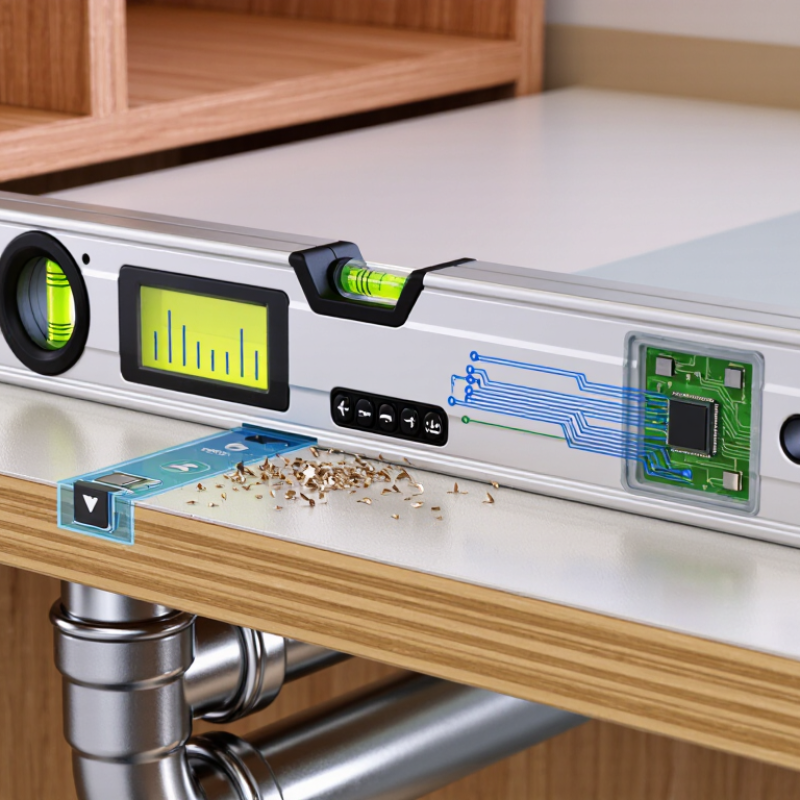
Table of Contents [Hide]
What Is a Digital Spirit Level?
A digital spirit level is a measuring tool that shows whether a surface is level, plumb, or angled. Unlike a traditional vial, it uses electronic tilt sensors to detect its position. The sensor reads changes in gravity and sends the data to a small processor. The result appears on a screen, often as degrees, percentage, or a directional guide. In practical use, this makes readings easier to see in dim spaces or from an awkward angle. The tool still has a rigid body, so its edge can rest against a shelf, frame, pipe, or wall.
Most digital spirit levels need calibration before demanding work. Place the level on a stable surface, record the reading, then turn it around and compare. If the result changes, the tool may need adjustment or service. Keep the measuring edge clean. Even a small chip or layer of dust can affect contact. I have found that a bright display saves time, but it can also encourage careless readings. Wait for the numbers to settle. A moving reading may reflect vibration, temperature changes, or an uneven hand.
A digital spirit level helps with cabinets, floor slopes, equipment, and posts. Its accuracy depends on sensor quality, calibration, battery condition, and careful handling. It does not replace sound judgment. On a long surface, check several points instead of trusting one reading. I still recheck important measurements, because convenient tools can create false confidence. Short checks help.