-
PRODUCTS & SERVICESOptimized cooling solutions for modern data centersProducts & ServicesOptimized cooling solutions for modern data centers
-
CAPABILITIESAdvancing liquid cooling technologiesCapabilitiesAdvancing liquid cooling technologies
-
TechnologiesLiquid Cooling InnovationTechnologiesLiquid Cooling Innovation
-
RESOURCESLatest News & InformationResourcesLatest News & Information
-
ABOUTOur history, leadership and ownershipAboutOur history, leadership and ownership
-
CONTACTFacility locations and global operational footprint




What Is an Integrated Smart Home System?
An Integrated Smart Home connects lighting, climate control, security, entertainment, and appliances through one coordinated system. Instead of managing six separate applications, a homeowner can create a simple scene: the front door locks, hallway lights dim, the thermostat adjusts, and outdoor cameras begin monitoring. The experience feels quiet. That is the point.
Smart-home strategist Michael Wolf has described the smart home as “a platform, not a collection of gadgets.” This idea explains why integration matters. A professionally designed system considers wiring, network strength, device compatibility, privacy settings, and future upgrades. It should also respond reliably when the internet connection fails. A touchscreen on the kitchen wall means little if the lights respond slowly.
The best Integrated Smart Home systems begin with daily routines, not product lists. An installer may observe how a family enters the house, sleeps, works, and manages energy. Those details shape useful automation. Motion sensors can illuminate a dark stairway. Door contacts can notify a parent when a child arrives. Temperature zones can reduce wasted heating in unused rooms.
Still, smart homes are not perfect. Voice recognition can misunderstand accents. Sensors can miss movement. Complex systems may confuse residents without clear controls. That weakness deserves attention. Good design includes manual switches, transparent permissions, secure updates, and practical training. Integration should reduce friction, not create another technical burden. A truly intelligent home feels dependable, understandable, and slightly invisible.
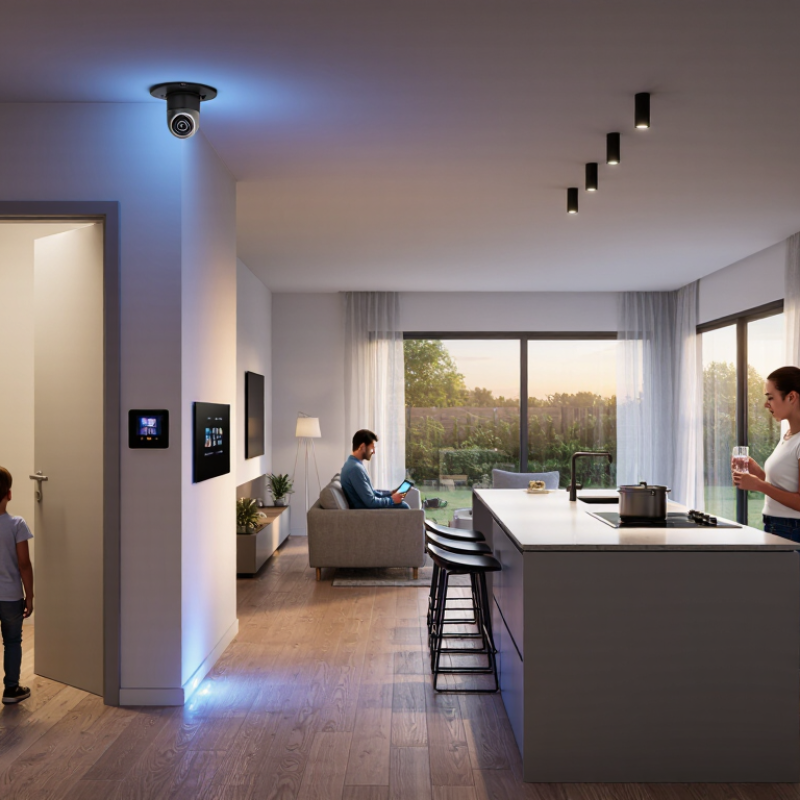
Table of Contents [Hide]
Definition and Core Idea of an Integrated Smart Home System
An integrated smart home system connects lighting, heating, security, appliances, and sensors through one coordinated digital environment. Its core idea is cooperation, not simply adding more connected devices. A shared platform interprets information from different devices and triggers useful actions. For example, a window sensor can pause heating when fresh air enters.
The system may use a central hub, cloud services, local networks, or a combination of these technologies. It should offer one control method, consistent automation rules, and clear permission settings. According to IDC’s Worldwide Smart Home Device Tracker, global smart home device shipments were expected to reach about 892 million units in 2024. Growth suggests strong demand, but device ownership alone does not create integration. Poor compatibility can still leave residents managing several separate applications.
Energy management gives this concept practical value. The International Energy Agency reports that buildings consume around 30% of global final energy. An integrated system can respond to occupancy, daylight, temperature, and electricity prices. A hallway light might dim automatically after midnight. Small actions matter. Yet automation is not always intelligent. A sensor may misread an empty room, or a heating schedule may ignore a resident’s changing routine. Reliable systems need manual controls, software updates, data protection, and transparent failure alerts. My experience with connected environments suggests that simplicity is harder than adding features. Users should understand what the system does, what it records, and how to override it.