Top High Performance Computing Cooling Solutions?

High Performance Computing Cooling is becoming a core design decision, not a final facility upgrade. Modern clusters generate intense heat inside compact racks. A single overloaded cabinet can challenge airflow, power distribution, and maintenance routines. Cooling must protect performance without creating excessive energy demand.

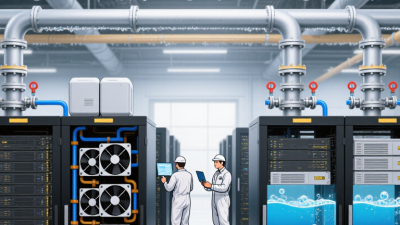
This guide examines leading solutions, including precision air cooling, direct-to-chip liquid cooling, immersion cooling, and rear-door heat exchangers. Each approach suits different workloads and building conditions. Direct-to-chip systems can remove heat close to processors, reducing dependence on room airflow. Immersion cooling offers strong thermal control, but fluid handling and service training require careful planning. Rear-door exchangers can support existing data centers with fewer structural changes.

Details matter. A coolant leak sensor should trigger a clear response. Filters need accessible replacement points. Pumps require backup planning. Operators should also track inlet temperatures, flow rates, rack density, and power usage effectiveness. Manufacturer specifications provide useful guidance, yet site testing remains essential. Real installations often reveal issues that design documents miss.

No solution wins every test. Cost estimates can overlook technician training, water treatment, or future server upgrades. Air cooling may appear simpler, but it can become inefficient at higher densities. Liquid cooling can improve capacity, although its maintenance model feels unfamiliar to some teams. This overview compares practical strengths, limitations, and deployment risks. The goal is not to promote one technology. It is to help decision-makers choose cooling that remains reliable under real workloads, changing hardware, and imperfect operating conditions.
Top High Performance Computing Cooling Solutions?

What High-Performance Computing Cooling Means

High-performance computing cooling means controlling heat before it harms performance, hardware, or reliability. Dense processors can produce intense heat within a small rack footprint. A single cabinet may release more heat than a small office room. Cooling must remove that heat continuously, not only during peak workloads. Air cooling remains practical for moderate densities, especially with careful airflow separation. However, advanced liquid cooling often handles higher thermal loads more efficiently. It can move heat directly from processors through cold plates and closed fluid loops.

Good design begins with measured conditions, not assumptions. Engineers should record inlet temperatures, rack power, airflow volume, and humidity. Sensors near processors can reveal hot spots hidden from room-level monitors. I have seen systems remain within average temperature limits while individual components experienced repeated thermal spikes. That difference matters. Small errors become expensive.

Maintenance also defines what high-performance cooling means. Filters need inspection, pumps require health monitoring, and fluid connections need regular leak checks. Redundancy can protect workloads during equipment failure, but it increases cost and complexity. No design is perfect. A liquid system may improve efficiency while demanding better technician training. An air-based system may simplify maintenance but struggle as processor density rises. The most reliable solution matches cooling capacity with real workloads, room conditions, service skills, and future expansion. Performance should stay stable at the rack, not merely look acceptable on a dashboard.

Why HPC Systems Require Advanced Thermal Management

Top High Performance Computing Cooling Solutions?

HPC systems require advanced thermal management because modern processors concentrate extreme heat in small areas. The International Energy Agency’s Energy and AI report (2025) estimates that data centres consumed about 415 TWh of electricity in 2024. Demand could reach nearly 945 TWh by 2030. More computation means more heat. It also means less tolerance for cooling mistakes.

Air cooling remains practical for moderate-density racks, especially when airflow is carefully contained. However, direct-to-chip liquid cooling removes heat closer to the source. Rear-door heat exchangers can support dense racks without redesigning an entire room. Immersion cooling may offer another path, but maintenance procedures, fluid compatibility, and technician training require serious attention. The U.S. Department of Energy’s data-centre guidance identifies cooling as a major energy burden, reinforcing the value of efficient heat removal.

Small details matter. A blocked filter, uneven rack loading, or poorly placed sensor can create a hot spot within minutes. ASHRAE TC 9.9 guidance stresses controlled inlet temperatures and humidity, yet real facilities rarely behave perfectly. That is the uncomfortable part. A system can pass design tests and still struggle during workload spikes. Operators should combine computational fluid dynamics, continuous temperature monitoring, leak detection, and regular commissioning. Cooling efficiency is not only a hardware decision. It is an operating discipline that must be tested repeatedly.

How Major HPC Cooling Technologies Work

Top High Performance Computing Cooling Solutions?

How Major HPC Cooling Technologies Work

High performance computing systems turn electrical power into intense heat. Cooling technology must remove that heat continuously, not occasionally. Traditional air cooling uses fans, heat sinks, and chilled airflow. Air passes across processors, memory, and power components, then carries heat toward the room cooling system. This approach remains practical for moderate workloads. However, dense accelerator clusters can create hot spots near tightly packed processor sockets.

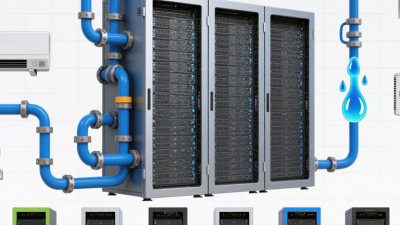
Direct-to-chip liquid cooling places cold plates on the main processors. Coolant flows through small internal channels and absorbs heat close to its source. A distribution unit controls flow, pressure, and temperature before returning warmed fluid to a heat rejection system. This method usually supports higher rack density than air. Technicians still need careful hose routing, leak detection, and service procedures. Small installation mistakes can become expensive.

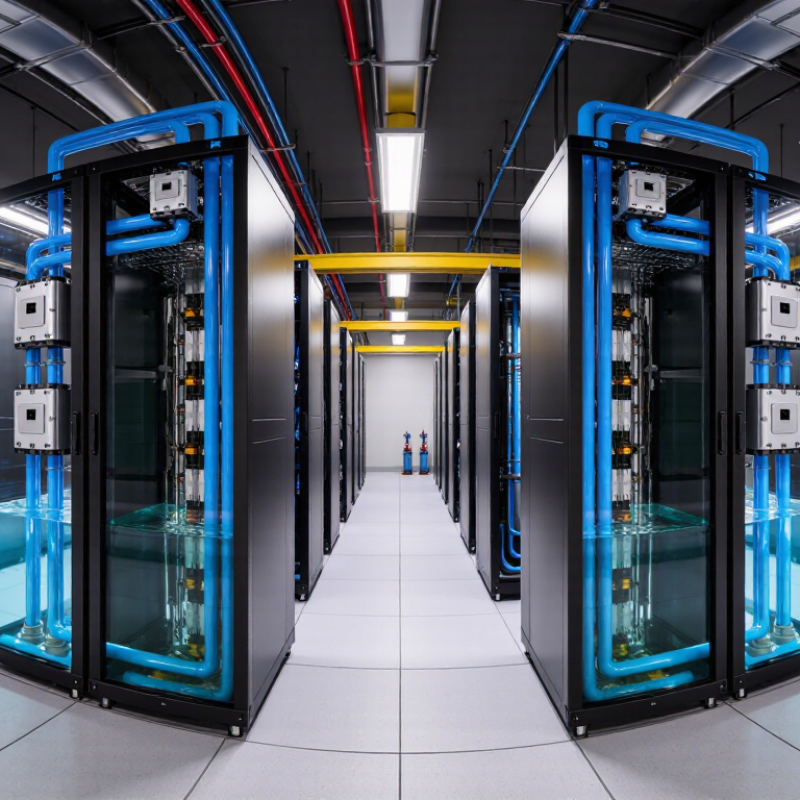
Immersion cooling moves entire servers into a non-conductive fluid. The fluid surrounds components and transfers heat efficiently, sometimes through natural circulation. Single-phase systems pump warmed fluid through a heat exchanger. Two-phase systems use controlled boiling and condensation. The design is powerful, but maintenance feels less familiar. Removing hardware from a fluid tank is slower, and fluid compatibility requires long-term testing. Rear-door heat exchangers offer another compromise by cooling exhaust air before it returns to the room. No option is perfect. Operators should compare workload density, water availability, maintenance skills, and measured energy performance rather than trusting impressive specifications.

Top High Performance Computing Cooling Solutions? - How Major HPC Cooling Technologies Work

Cooling Technology How It Works Typical Heat-Rejection Capability Typical Rack Density Energy Efficiency Potential Main Advantages Key Limitations Best-Fit HPC Applications
Air Cooling with Computer Room Air Handlers Fans circulate conditioned air through server heat sinks. Warm air is collected, cooled by air-handling equipment, and returned to the equipment space. Approximately 5–15 kW per rack in conventional deployments; higher densities require specialized airflow management. Low to moderate Moderate Established infrastructure, simple maintenance procedures, broad hardware compatibility, and no liquid near electronic components. Air has relatively low heat capacity, so large airflow volumes are required. Fan power, airflow obstruction, and recirculation can become significant at high density. General-purpose clusters, storage systems, legacy HPC rooms, and facilities with moderate rack power.
Hot-Aisle and Cold-Aisle Containment Server racks are arranged so that equipment intakes face a cold aisle and exhausts face a hot aisle. Barriers reduce the mixing of supply and return air. Commonly supports approximately 10–25 kW per rack when paired with suitable air-conditioning equipment. Moderate High Improves air distribution, raises return-air temperature, reduces bypass airflow, and can extend the useful range of air-based cooling. It does not remove heat directly from chips. Very dense accelerators may still require liquid cooling, and poor layout discipline can reduce effectiveness. Air-cooled HPC rooms, mixed-density data centers, and facilities upgrading existing cooling infrastructure.
Rear-Door Heat Exchanger A water-cooled coil replaces or attaches to the rear rack door. Exhaust air passes through the coil, transferring heat to a facility-water loop before returning to the room. Often approximately 20–80 kW per rack, depending on water temperature, airflow, coil design, and rack configuration. Moderate to high High Can retrofit air-cooled servers, captures rack-level heat, reduces room cooling demand, and avoids liquid connections inside most servers. Adds door weight and airflow resistance. It still depends on server fans and may be insufficient for the highest chip-level heat flux. High-density racks in existing air-cooled facilities, visualization systems, and mixed-generation HPC environments.
Direct-to-Chip Liquid Cooling Cold plates are mounted directly on CPUs, GPUs, or other high-power components. A pumped liquid loop removes heat and transfers it to a facility water system or coolant distribution unit. Approximately 30–100+ kW per rack is achievable, depending on the number of liquid-cooled components and system design. High to very high Very high Liquid carries far more heat per unit volume than air, reduces server fan power, supports high chip power, and can enable warmer-water operation. Requires plumbing, leak detection, fluid-quality control, compatible server hardware, and careful maintenance. Some components may still need residual air cooling. GPU-accelerated AI systems, dense scientific clusters, computational fluid dynamics, molecular simulation, and exascale-class designs.
Single-Phase Immersion Cooling Complete servers or selected components are submerged in a non-conductive liquid that remains in liquid form. Pumps or natural circulation move the warmed fluid to a heat exchanger. Approximately 50–100+ kW per tank or rack enclosure, depending on tank volume and heat-exchanger capacity. Very high Very high Provides uniform component cooling, eliminates most server fans, reduces airflow requirements, and can support compact high-density installations. Hardware servicing is less familiar, fluid compatibility must be verified, and liquid handling can complicate component replacement and logistics. High-density accelerator clusters, specialized scientific computing, edge installations, and facilities with limited air-cooling capacity.
Two-Phase Immersion Cooling Components are submerged in a dielectric fluid that boils at a controlled temperature. The vapor condenses on a cooled condenser and returns as liquid to the tank. High heat flux and rack-equivalent densities above 100 kW can be possible with suitable tank and condenser engineering. Very high Very high Uses phase change to transfer heat efficiently, provides consistent component temperatures, and requires little or no server airflow. Fluid selection, containment, vapor management, environmental compliance, and service procedures are more complex than with conventional cooling. Extremely dense HPC and AI systems where space efficiency and high heat-flux removal are primary requirements.
Hybrid Liquid-and-Air Cooling Liquid cooling removes heat from the highest-power components while air cooling handles memory, storage, power supplies, networking, and other residual loads. Approximately 30–100+ kW per rack, depending on the liquid-cooled component percentage and airflow design. High High Balances density, compatibility, and deployment cost. It supports gradual upgrades while retaining air cooling for components that do not require liquid. Creates two cooling paths, requiring coordinated controls, maintenance procedures, and careful thermal design for residual air loads. Modern HPC clusters, mixed CPU/GPU systems, phased data-center upgrades, and environments with both legacy and liquid-ready equipment.
Warm-Water Cooling Liquid circulates through cold plates or heat exchangers at temperatures high enough to reject heat with reduced or no mechanical chilling under suitable outdoor conditions. Usually implemented with direct-to-chip or rear-door systems; practical capacity depends on the facility-water loop and heat exchanger. High to very high Very high Can reduce compressor energy, support free cooling, improve heat reuse opportunities, and simplify heat rejection in favorable climates. Requires equipment designed for elevated coolant temperatures, strict control of condensation risk, and sufficient outdoor or heat-reuse infrastructure. Large HPC facilities, energy-conscious data centers, district-heating projects, and sites designed for heat recovery.

Note: Heat-rejection and rack-density figures are indicative engineering ranges. Actual performance depends on server configuration, component power, coolant temperature, airflow, heat-exchanger design, facility infrastructure, and operating conditions.

How to Compare High-Performance Computing Cooling Solutions

Comparing HPC cooling solutions starts with actual rack conditions, not attractive efficiency claims. Record heat output, rack density, inlet temperature, airflow, and workload changes. A processor-heavy cluster may need direct liquid cooling, while moderate-density racks can remain air-cooled. Measure power usage effectiveness and cooling capacity during peak demand. Do not trust one laboratory result. Site readings are more revealing.

Evaluate thermal performance alongside maintenance demands. Check supply and return temperatures, leak detection, pump redundancy, filtration, service access, and coolant compatibility. A strong design keeps components within safe temperature limits during sustained workloads. It should also recover gracefully after a pump or fan failure. Ask for test methods, operating ranges, and independently verified data. Vague guarantees deserve careful questions.

Total cost includes installation, controls, water treatment, replacement parts, technician training, and downtime risk. Liquid systems can reduce fan energy and support dense deployments, but they may add plumbing complexity. Air systems are often simpler, yet they can struggle as rack loads rise. I have seen plans fail because future growth was ignored. That mistake is expensive. Compare five-year scenarios using your measured load profile, local climate, staffing, and expansion schedule. Leave room for uncertainty. The best choice is not always the most efficient option. Reliability under real operating pressure matters more.

Top High Performance Computing Cooling Solutions: How to Compare Them

The chart compares typical rack-level heat-removal capacity ranges used in high-performance computing planning. Liquid-based solutions generally support higher heat densities than air cooling, while actual capacity depends on rack design, coolant temperature, facility infrastructure, and server configuration.

How to Deploy and Maintain an HPC Cooling System

Deploying an HPC cooling system starts with a measured thermal profile. Map rack density, airflow paths, humidity, and maintenance access before selecting equipment. ASHRAE TC 9.9 recommends controlled inlet conditions, commonly around 18–27°C for recommended air-cooled operation. Measure before changing. A single room average can hide dangerous hotspots near accelerators.

Liquid cooling demands tighter planning. Design supply and return loops with filtration, leak detection, isolation valves, and service bypasses. Keep pumps and heat exchangers accessible without shutting down the entire cluster. The International Energy Agency’s Electricity 2024 report estimates that data centers used about 460 TWh globally in 2022. Demand could exceed 1,000 TWh by 2026. Cooling efficiency therefore affects both operating cost and available computing capacity. Cooling is infrastructure.

Commissioning should include staged load tests, sensor calibration, alarm verification, and failure simulations. Test a failed pump, blocked filter, and sudden loss of control power. Uptime Institute’s Global Data Center Survey 2024 shows that outages still create significant financial exposure, with many reported incidents costing over 100,000 US dollars. That evidence supports redundancy, but redundancy is not automatically resilience. Poorly balanced loops can fail together. Operators often focus on installation and underfund maintenance. That mistake is expensive. Review trends weekly, replace filters by pressure data, and inspect connectors during planned service windows. Some assumptions will be wrong. Record them, then improve the design.