-
PRODUCTS & SERVICESOptimized cooling solutions for modern data centersProducts & ServicesOptimized cooling solutions for modern data centers
-
CAPABILITIESAdvancing liquid cooling technologiesCapabilitiesAdvancing liquid cooling technologies
-
TechnologiesLiquid Cooling InnovationTechnologiesLiquid Cooling Innovation
-
RESOURCESLatest News & InformationResourcesLatest News & Information
-
ABOUTOur history, leadership and ownershipAboutOur history, leadership and ownership
-
CONTACTFacility locations and global operational footprint

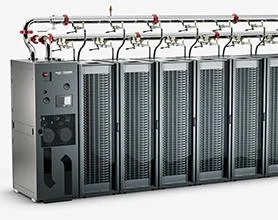





How to Choose Enterprise Computing Infrastructure?
Choosing Enterprise Computing Infrastructure is no longer a hardware-only decision. Organizations must balance performance, cost, security, resilience, and future growth across cloud, on-premises, and edge environments. The right choice can keep customer services responsive during peak demand. The wrong one can leave costly servers underused or critical workloads exposed to avoidable downtime.
Industry data shows why the decision deserves careful scrutiny. Gartner projected global public-cloud end-user spending would reach $679 billion in 2024, up 20.4% from 2023. Flexera’s 2024 State of the Cloud Report found that 89% of surveyed organizations had a multicloud strategy, while 73% reported a hybrid-cloud strategy. These figures point to increasingly mixed environments, not a universal migration path. They do not, by themselves, prove that more platforms deliver better results.
Resilience must also shape the evaluation. “Everything fails, all the time,” says Werner Vogels, Amazon’s chief technology officer, a reminder that infrastructure needs clear recovery plans, not just impressive specifications. Compare options using workload requirements, data location, operating skills, support terms, and total cost over time. Test assumptions against real applications and recovery needs. A neat scoring sheet helps, but it can hide messy dependencies between systems. The best-fit environment is the one your team can secure, operate, and adapt as business needs change.

Table of Contents
[Hide]
Define Enterprise Workloads and SLAs Using Gartner’s $723.4B Cloud Forecast
Enterprise computing infrastructure should begin with workloads, not hardware preferences. Gartner forecasts worldwide public cloud end-user spending will reach $723.4 billion in 2025, rising 21.5% from 2024. That figure signals more than rapid adoption. It shows that infrastructure decisions now affect financial planning, resilience, and operational speed.
Define each workload by measurable behavior. Record peak requests, data growth, latency, recovery time objective, and recovery point objective. A payment service may require 99.99% availability and sub-second response times. A monthly analytics job may tolerate overnight processing. Keep them separate. Mixing both workloads can create expensive overengineering. The Uptime Institute’s 2024 Global Data Center Survey reported that 53% of respondents experienced an outage during the previous three years. Availability claims need evidence, not confidence.
A practical assessment should map workloads against cost, security, location, and compliance requirements. Use at least twelve months of utilization data where possible. Then test failure scenarios, including network loss and regional disruption. Small tests reveal uncomfortable gaps. Forecasts can mislead when demand changes suddenly, and internal data is often incomplete. I have seen teams optimize average usage while ignoring short, damaging peaks. That mistake deserves review. Choose infrastructure that matches the service level, not the most impressive specification.
Related Posts
-

China Best Enterprise Computing Infrastructure Suppliers
-

China Best Enterprise Computing Infrastructure Suppliers?
-

What Is Liquid Cooling Technology and How Does It Work?
-

What Are the 2026 Top Cooling Loop Systems?
-

How to Choose Thermal Management Systems in 2026?
-

Top 10 Data Center Thermal Management Solutions in China Explained